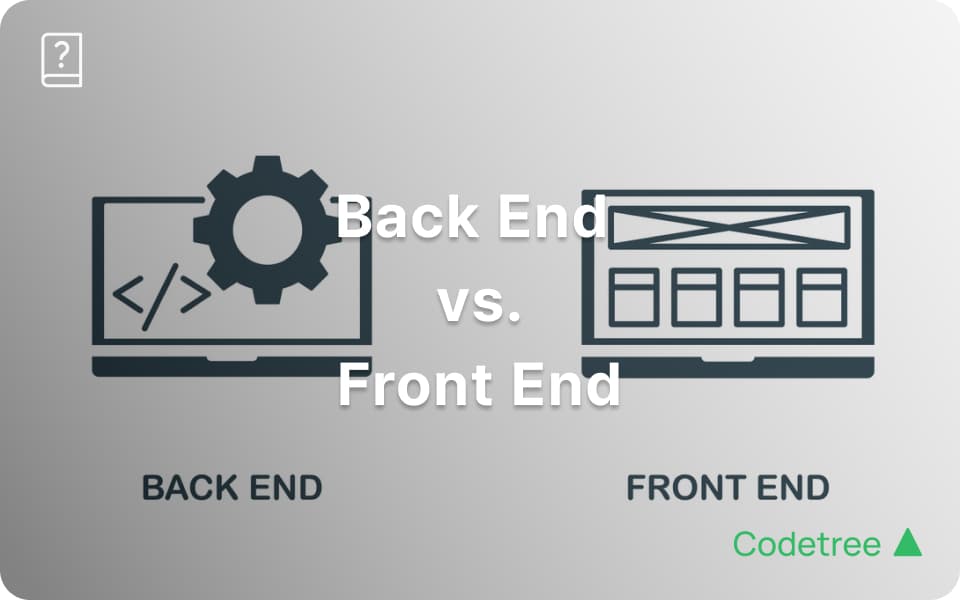
Front End vs Back End: Which Path is Right for You?
Discover the key differences between front end vs back end development. Explore roles, essential skills, pros and cons, and choose the right career path for you.
Do you clearly understand the difference between Front-End and Back-End development?
In web development, there are two main roles: Front-End, which deals with everything the user sees and interacts with, and Back-End, which manages the behind-the-scenes operations. Which path suits you best depends on your interests, personality, and career goals. Let’s explore the unique characteristics, required skills, and pros and cons of each, so you can find the perfect match for yourself!
Front-End vs. Back-End Development: What's the Difference?
The biggest difference between Front-End and Back-End lies in whether you're dealing with visible or hidden parts of a website—think of it like actors on stage (Front-End) versus the crew working backstage (Back-End).
What is Front-End Development?
Role of a Front-End Developer
Front-End developers create the visible parts of websites and applications, optimizing user experience (UX). They translate designs into code, ensuring smooth transitions, animations, and interactivity—such as buttons and page changes. They also implement responsive design for various screen sizes and focus on web accessibility, directly communicating with users.
Typical Daily Tasks:
Translating UI designs into code
Identifying and fixing browser compatibility issues
Enhancing UI based on user feedback
Displaying data received from APIs onto webpages
Essential Skills and Tools:
HTML/CSS: Markup languages for structuring and styling web content
JavaScript: Enables dynamic interactions on web pages
Frameworks/Libraries: React, Angular, Vue.js
Version Control: Git, GitHub, etc.
You’ll enjoy Front-End if:
You’re creative and interested in design.
You love instantly seeing the results of your work.
You enjoy direct interaction with users.
What is Back-End Development?
Back-End developers handle the hidden aspects, ensuring users experience smooth and secure applications. They primarily manage server infrastructure, databases, and application logic. They design APIs to process data requests from the Front-End and ensure reliable, efficient service. Additionally, they focus on data security and optimizing system performance.
Typical Daily Tasks:
Designing and optimizing databases
Developing APIs and connecting with Front-End
Improving server performance and security
Testing and deploying code
Essential Skills and Tools:
Programming Languages: Java, Python, Ruby, PHP, etc.
Frameworks: Django, Spring, Ruby on Rails, etc.
Databases: MySQL, PostgreSQL, MongoDB, etc.
API & Server Management: RESTful APIs, GraphQL, cloud services
You’ll enjoy Back-End if:
You love solving complex problems logically.
You're interested in data and system architecture.
You’re driven by creating stable, efficient systems.
Front-End vs. Back-End at a Glance
Aspect | Front-End | Back-End |
|---|---|---|
Role | Optimizing user interfaces & experiences | Building servers, databases, application logic |
Languages | HTML, CSS, JavaScript | Java, Python, Ruby, PHP |
Frameworks & Tools | React, Angular, Vue.js | Django, Spring, Ruby on Rails |
Daily Tasks | UI/UX design, user interactions, browser optimization | API design, data handling, server and security management |
Pros | Instant visual results and rapid user feedback | Stable systems, excellent career growth and salary potential |
Cons | Rapidly evolving technology, need for continuous learning and design sense | Higher initial learning curve, complex system understanding |
Which Path is Right for You?
Both Front-End and Back-End development have unique appeals—but how do you know which fits you best?
If you choose Front-End:
Ideal if you enjoy creative work, direct user interactions, and visible results.If you choose Back-End:
Perfect if you're excited by logical problem-solving, system design, and building stable, efficient services.
Alternatively, you might consider becoming a Full-Stack Developer, combining both roles to broaden your skillset and opportunities.
→ Learn more: Full-Stack Development
How to Get Started: Learning Paths
Front-End Learning Path
Master Basics: HTML, CSS, JavaScript fundamentals.
→ Learn JavaScript basics free with Codetree 101Choose a Framework: Start projects with React, Angular, or Vue.js.
Understand Design Principles: Study UI/UX basics and current trends through online courses or books.
Hands-on Projects: Create a personal portfolio or web apps.
Community Involvement: Engage with communities like GitHub, Reddit, and Blind.
Back-End Learning Path
Pick a Programming Language: Java, Python, or others; master syntax, data structures, and algorithms.
→ Start learning programming basics free with Codetree 101Framework Usage: Learn server setup through Django or Spring Boot.
Database Fundamentals: Understand SQL/NoSQL, create simple CRUD apps.
API Development Practice: Build RESTful APIs to experience real-world data handling.
Projects: Improve your collaboration and system design skills through personal or team projects.
Practice Example: JavaScript Introduction to console.log()
For beginners, here's a quick intro to JavaScript's basic output function: console.log().
Goal:
Learn the basics of JavaScript output to display data.
What is console.log()?
A function used to print data to the console, useful for debugging or viewing outputs.
Basic syntax:
javascript
console.log(content);
Example:
javascript
console.log("Hello, JavaScript!");
This prints "Hello, JavaScript!" to your console.
Features:
Strings: Output text within quotes (
" "or' ').Numbers: Output numeric values without quotes.
Line breaks: Each
console.log()adds a new line automatically.
For details, visit Codetree’s 'Output Basics' Quiz.
Front-End and Back-End development each have exciting opportunities and challenges. Choose Front-End if you’re drawn to design and user interactions, or Back-End if logical problem-solving and data processing excite you. Or perhaps become a Full-Stack developer to master both worlds.
Codetree is here to support your journey every step of the way. If you're ready to start from the basics, check out our free Codetree 101 course.
Codetree will be there for your first steps and beyond!
Q&A: Common Developer Career Questions
Q1: Which suits me better—Front-End or Back-End?
A: Choose Front-End if you enjoy creativity and user interactions; Back-End if you love logical problem-solving and complex systems.
Q2: Which one is easier—Front-End or Back-End?
A: It depends on your background and personal preferences. Front-End might feel more intuitive visually but requires continuous learning. Back-End can initially be challenging but rewarding once you master logical structures.
Q3: How do I become a Full-Stack Developer?
A: Master one area first, then gradually expand into the other through consistent learning and hands-on experience.
Q4: What skills are essential for developers?
A: Front-End developers need UI/UX understanding and constant learning of new tech trends. Back-End developers require deep knowledge in data processing, system architecture, and security.
Codetree supports your developer journey—let’s start building your future today!
Comments 0
0/2000
More articles
How to become a full-stack developer (outlining key roles, competencies, and a learning roadmap)
Interview Problem Explained: Guess Number Higher or Lower II(LeetCode 375, Minimax & Dynamic Programming)

Interview Problem Explained: Guess Number Higher or Lower (LeetCode 374, Binary Search)

Interview Problem Explained: To Lower Case (LeetCode 709, String Manipulation & ASCII Code)
Tech Career Insights
- Front End vs Back End: Which Path is Right for You?
- How to become a full-stack developer (outlining key roles, competencies, and a learning roadmap)